
Move through periods
Tap the period for the next one.
Long press to choose a period.
 COURTEMPO
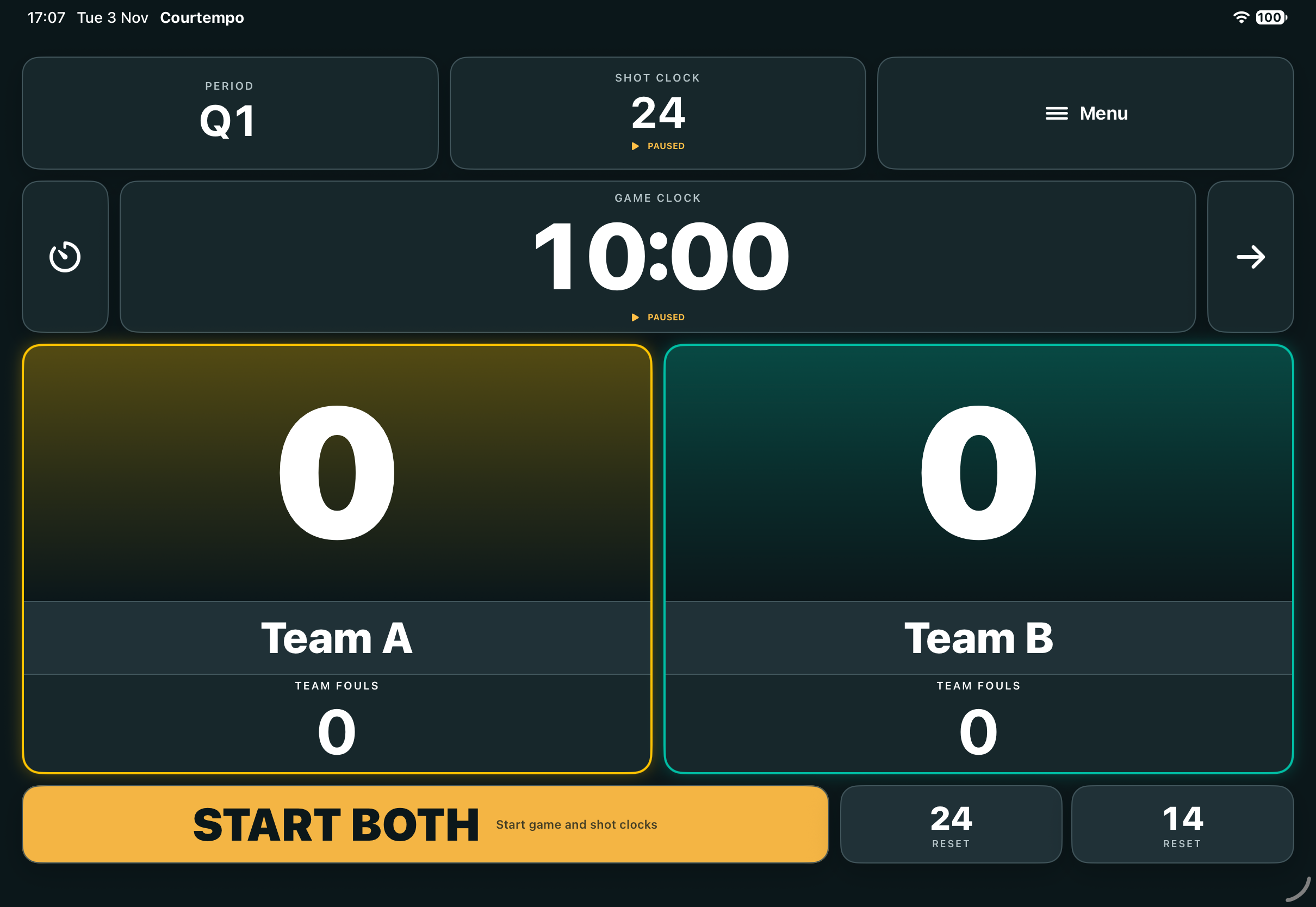
Scores, game and shot clocks, team fouls and timeouts — together on iPhone and iPad.
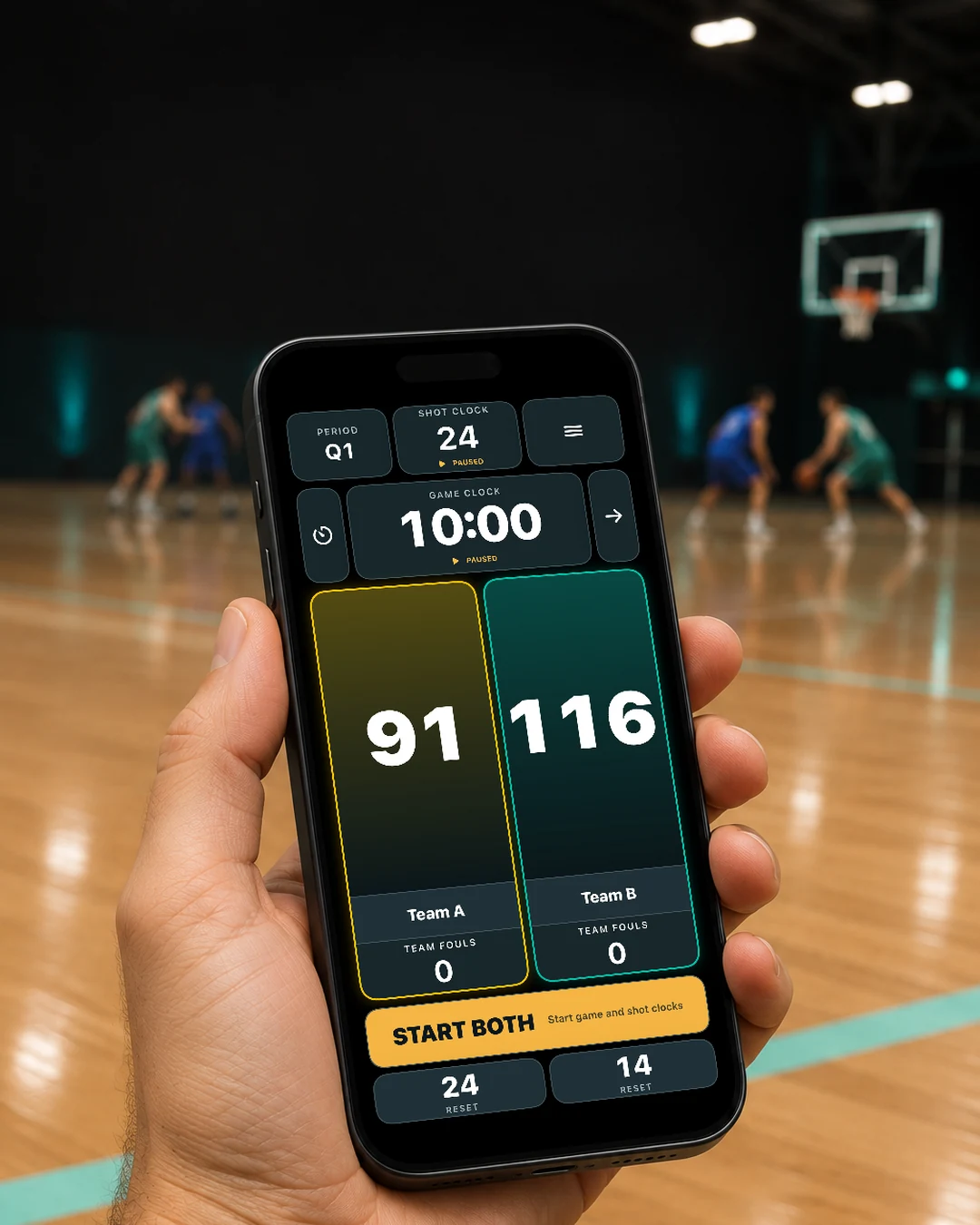
Quick actions with a tap. More control with a long press.
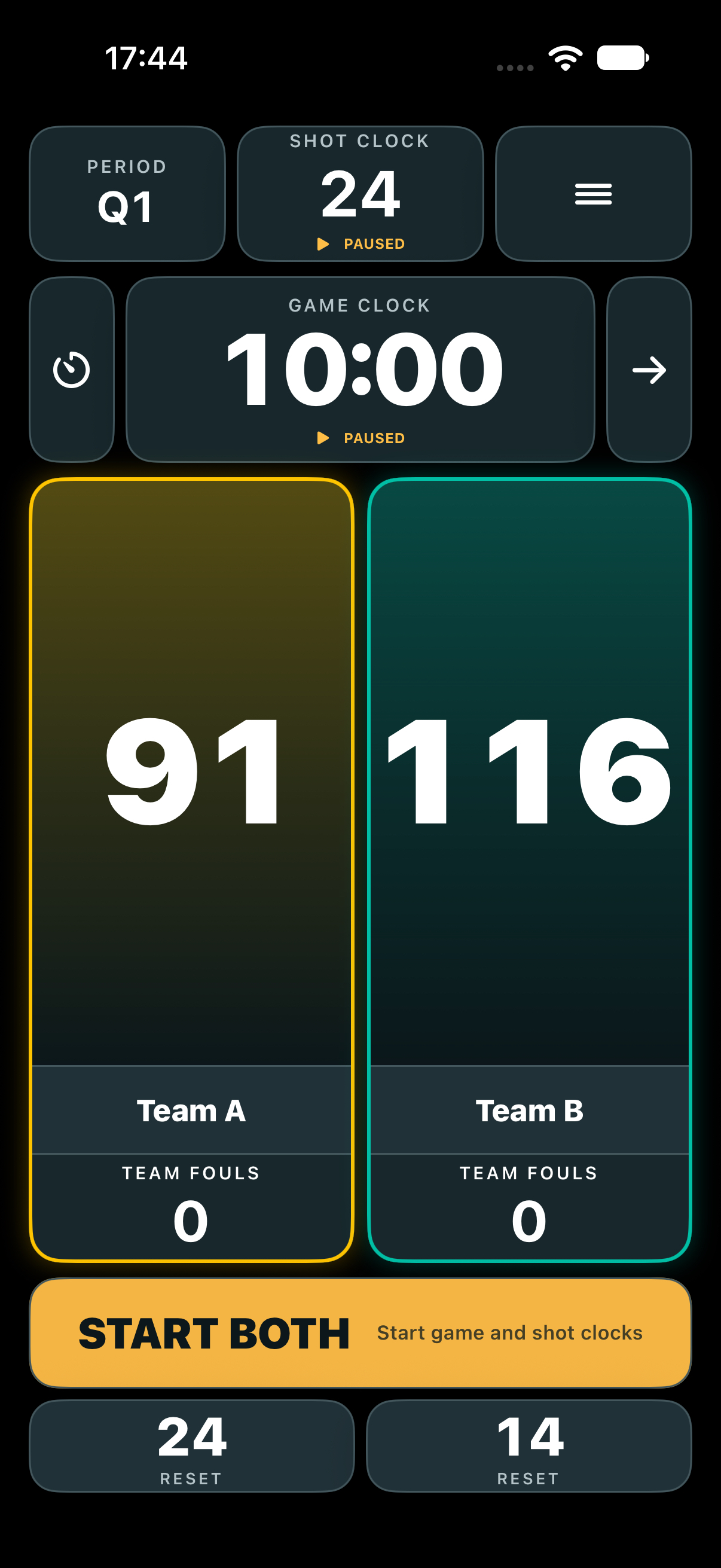
Tap the period for the next one.
Long press to choose a period.
Tap a clock to pause or resume it.
Long press to set its time.
Works on the game and shot clocks.Tap the arrow to change direction.
Tap upper half to add 1 point.
Tap lower half to subtract 1.
Long press to enter an exact score.
Works on either team’s score panel.Long press a team name to rename it.
Tap the foul count to add 1.
Long press to subtract 1.
Use the main button to control both clocks together.

Add and correct scores, track team fouls, and choose your team names and colours.
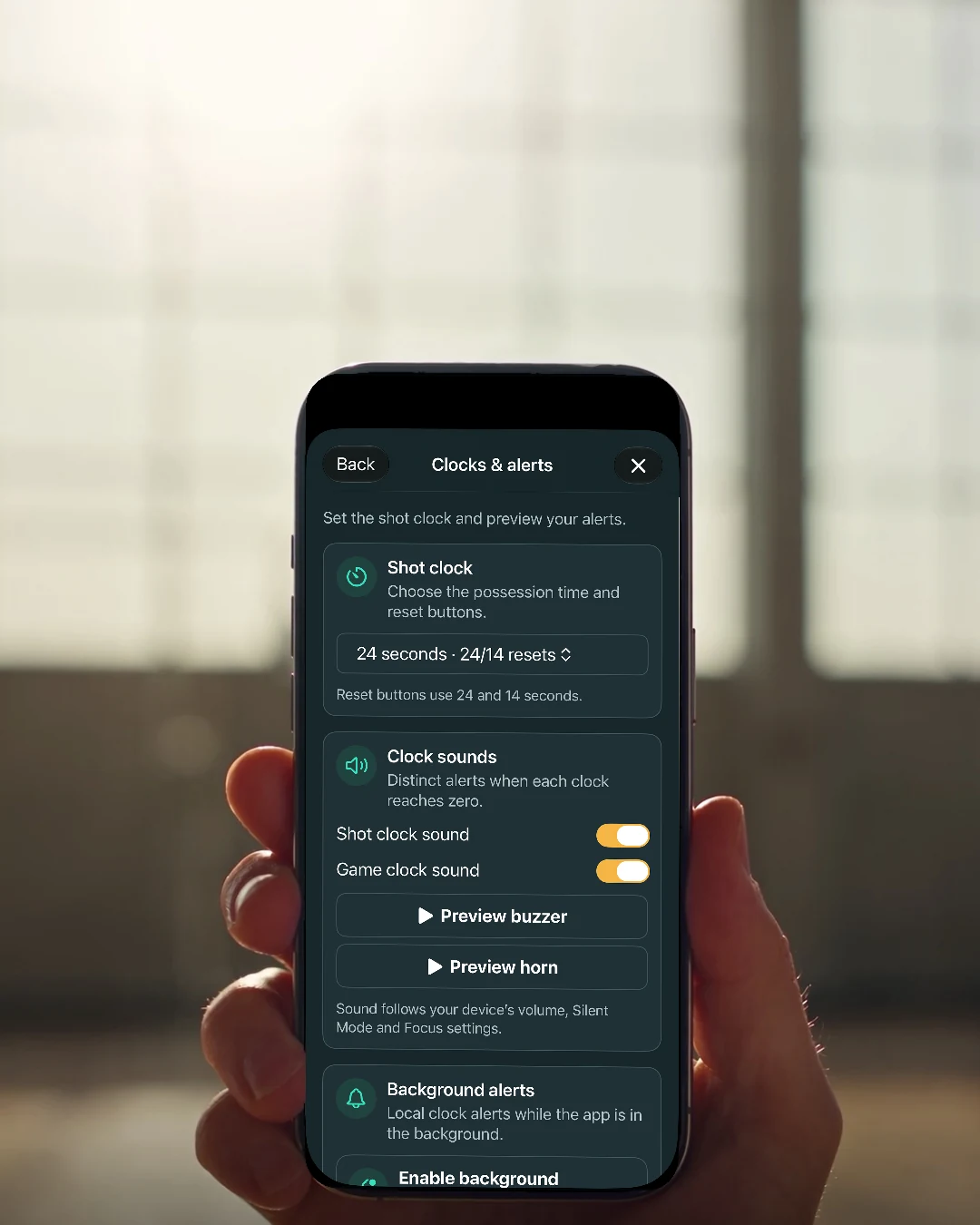
Control each clock independently. Choose 24/14 or 30/20-second shot-clock resets.
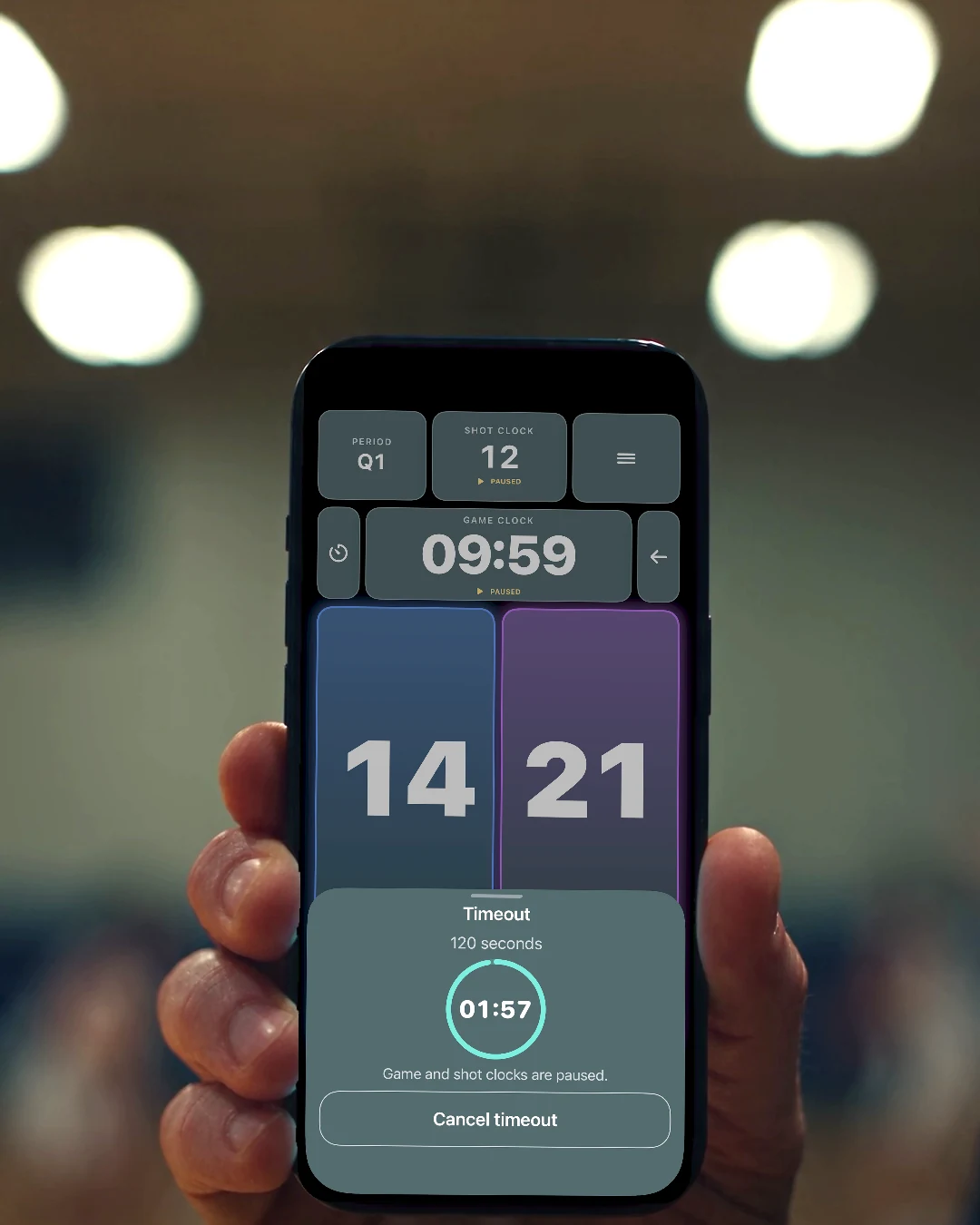
Track possession and run timeouts with a shrinking countdown. Keep periods and overtime organised.
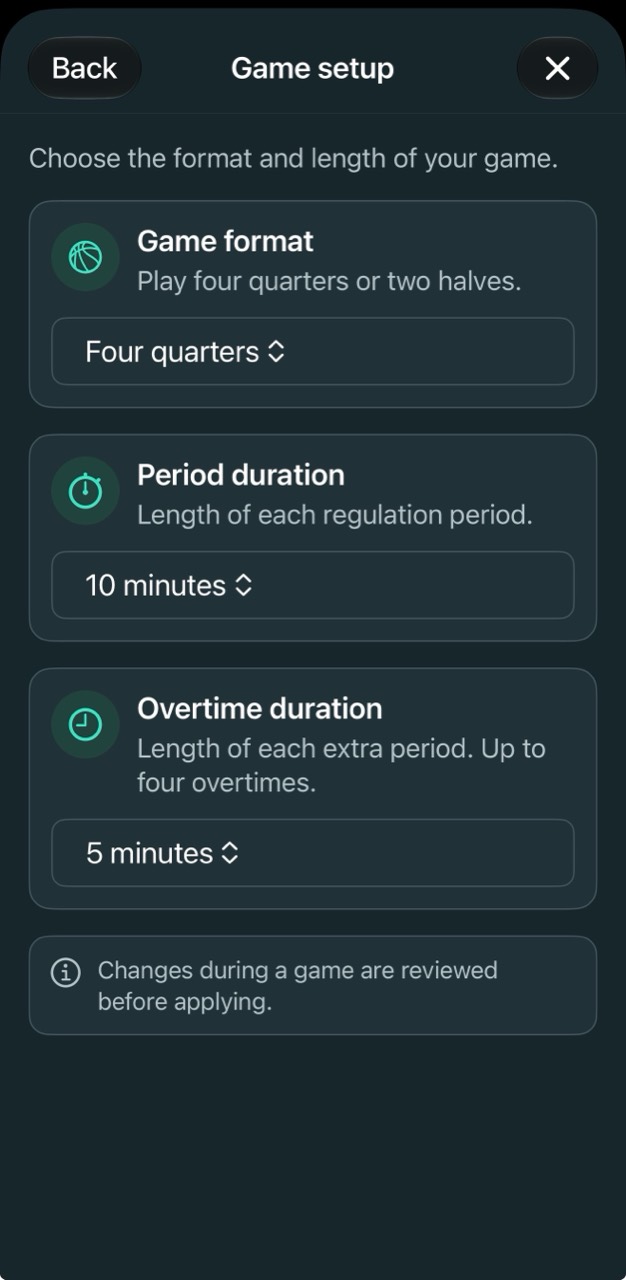
Choose four quarters or two halves. Set the duration of each period and overtime.
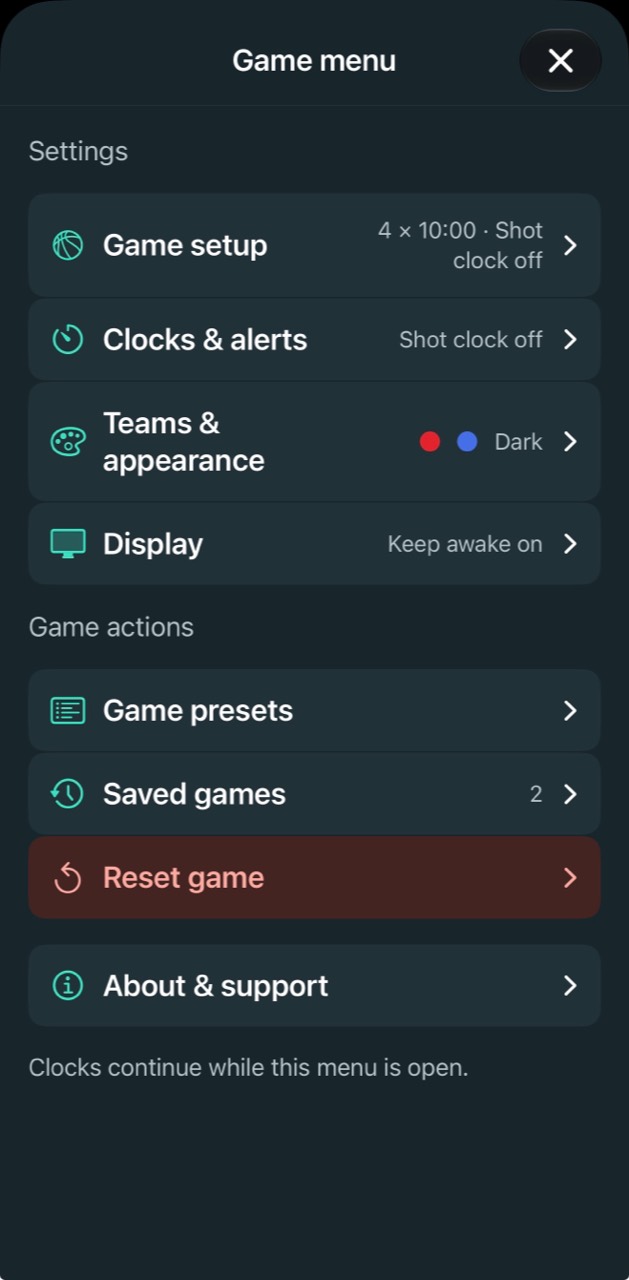
Set game and shot clock durations to suit your game. Open Game setup or Clocks & alerts from the game menu.
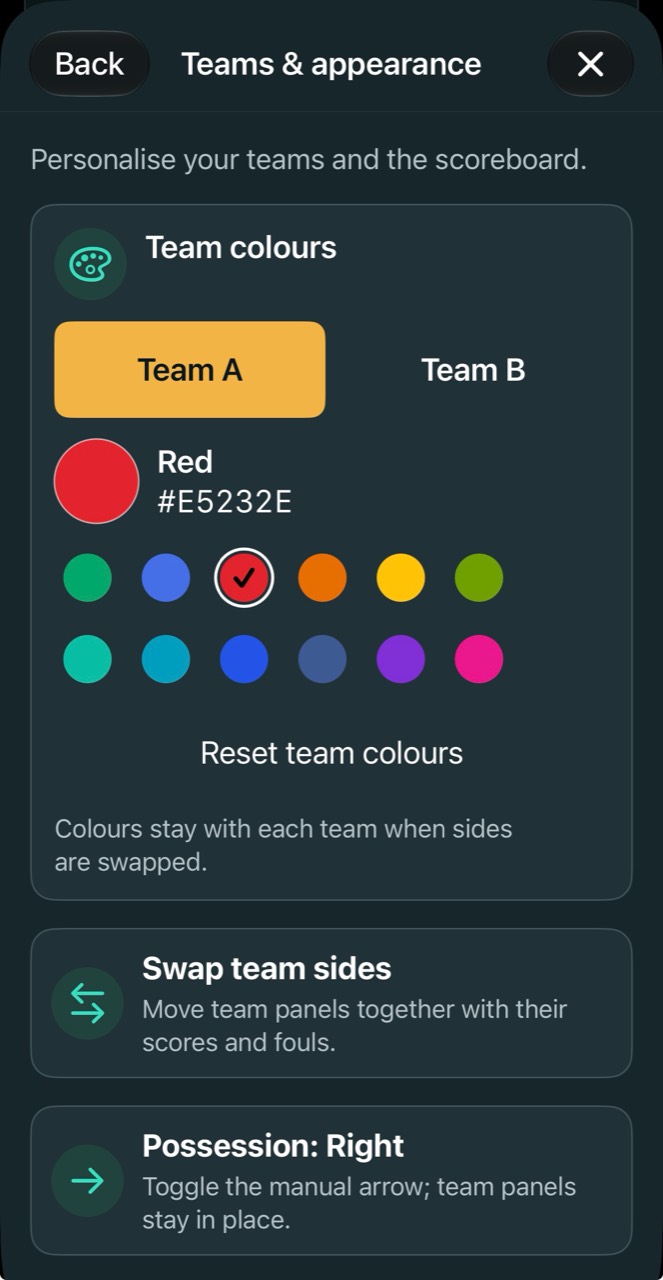
Choose a colour for each team. Colours stay with your teams when sides are swapped.
Choose the appearance that works for you, with adjustable team colours and local automatic saving.
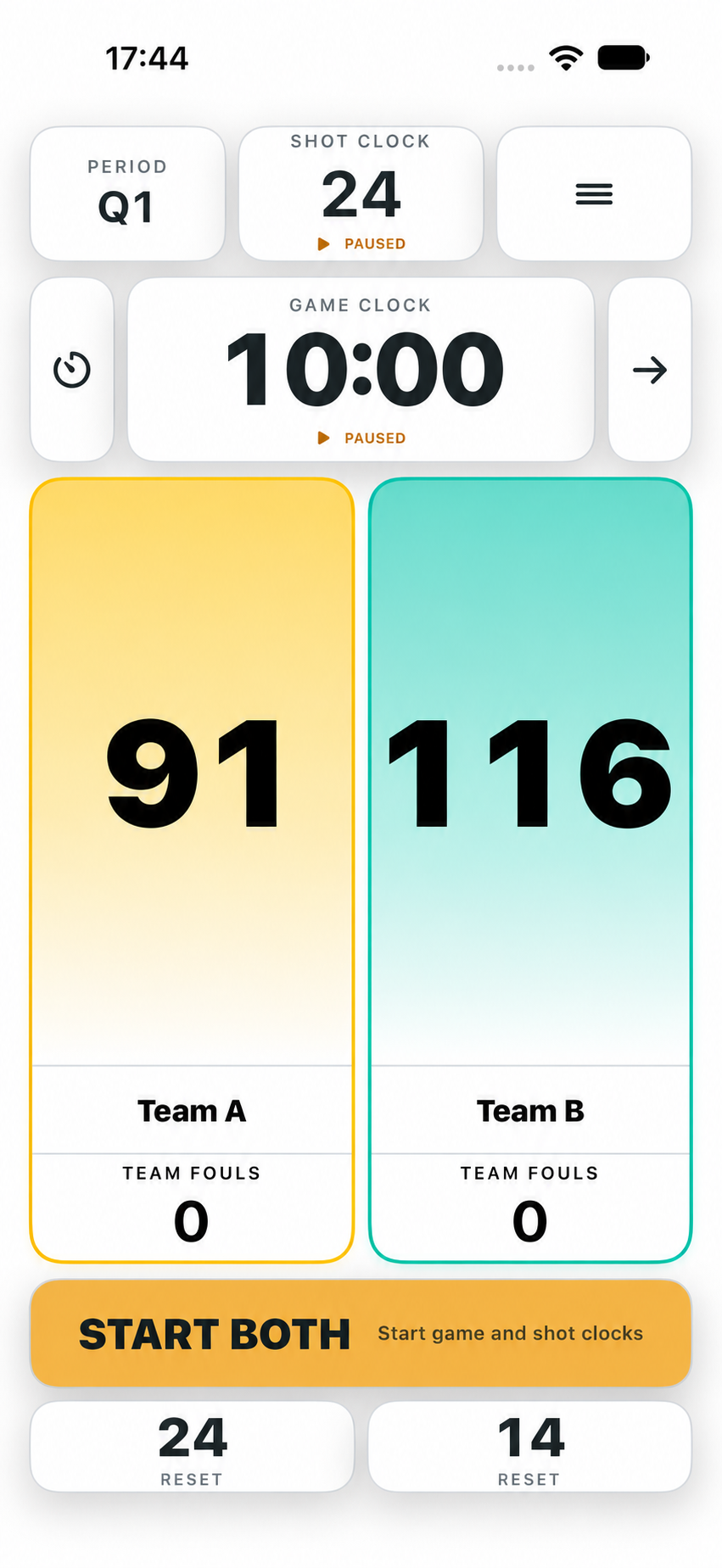
Get Courtempo Scorekeeper for iPhone and iPad.
Find the main controls, clock behaviour and troubleshooting in our support guide.
Get support